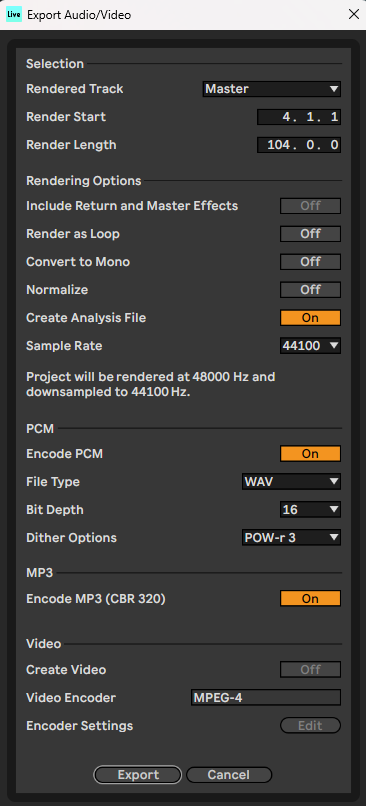
First, it is not required for you to export the song and master in a different project from the mix. The steps to master are as follows:
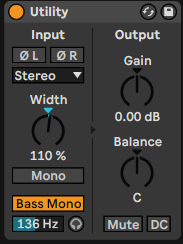
1. Apply a "Utility" effect.
Enable "Bass Mono". This makes all sound below a certain frequency come through in mono. This creates a cleaner bass sound. Set the frequency to isolate the bass:
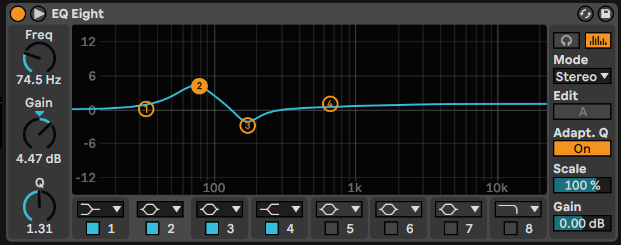
2. Apply an "EQ Eight" effect.
Adjust settings as desired to bring up punchiness of bass, add some sparkle, clean out any muddy frequencies
3. Apply a "Glue Compressor - Make It Loud" preset.
This preset applies a makeup gain of 5db, so we want to adjust the threshold so the trach is also being attenuated to 5db
If you find the bass is blowing out the compressor when it comes in, expand the sidechain view and enable the EQ option:
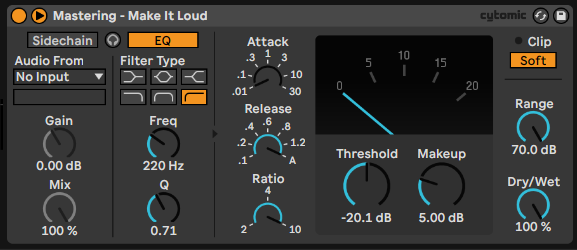
Adjust the frequency until the lower frequencies are no longer blowing out the compressor; generally about 200 if the kick is the culprit.
Optionally, apply a very subtle "Saturator - A Bit Warmer" effect to bring in some harmonics. Generally around 10% wetness
4. Add a Limiter and Youlean Loudness Meter
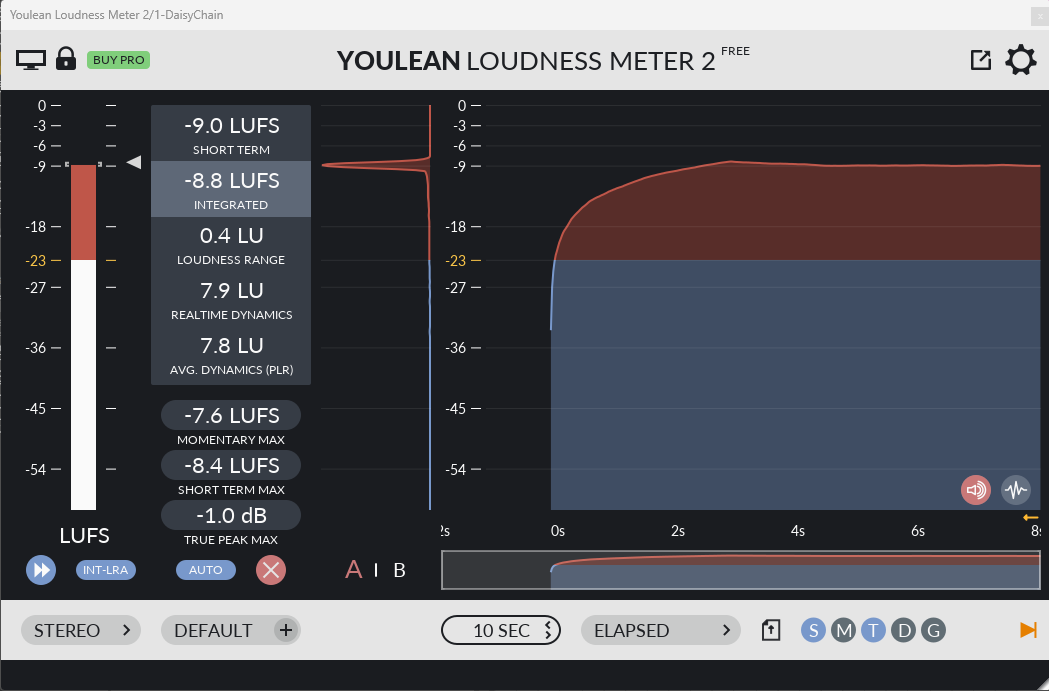
Start the limiter at a ceiling of -1.0db. Adjust the ceiling and the gain of the limiter until the loudness meter shows a True Peak Max of approximately -1db. Ideally, the limiter should be doing a little bit of work, visible in the meter on the effect UI.
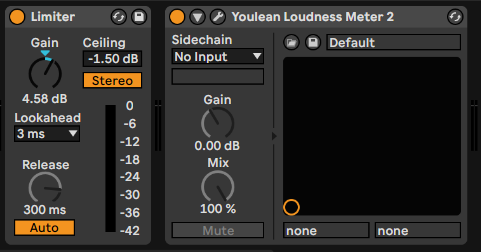
You can aim for -12 LUFS but it's not as important as the true peak
5. Export
When Exporting, a .wav (PCM) at 44100 Sample Rate, 16 Bit Depth and POW-r 3 Dither is considered "CD Quality"